
Offline Mode in CR Essentials Mobile
CR Essentials Mobile enables users to fully complete scheduled visits without internet connection.
When users are offline, an indicator bar will display Offline Mode and provide the last time the app was synced. All data is saved within the mobile app and syncs back to the web when an internet connection is restored.
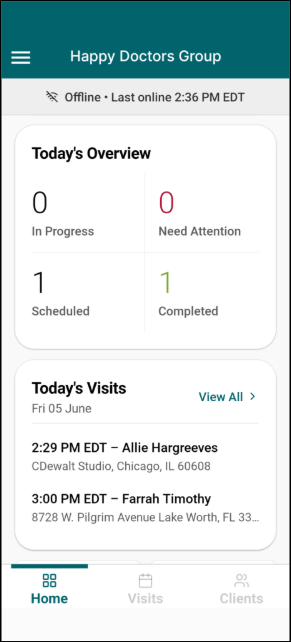
Offline Mode supports the following capabilities:
- Start and end scheduled visits
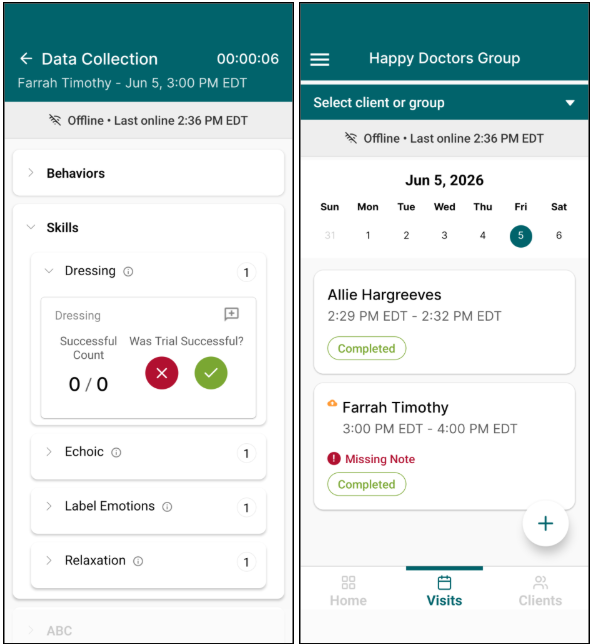
- The Visits tab will only display visits that were available the last time the mobile app had an internet connection and was able to sync.
- Visits will appear with a “pending upload” indicator when in Offline Mode waiting for an internet connection to allow syncing.
- Complete Data Collection
- Collect signatures
Offline Mode does not support the following:
- Creating or signing Notes
- AI Summary generation
- Scheduling or canceling visits