Home in CR Essentials Mobile
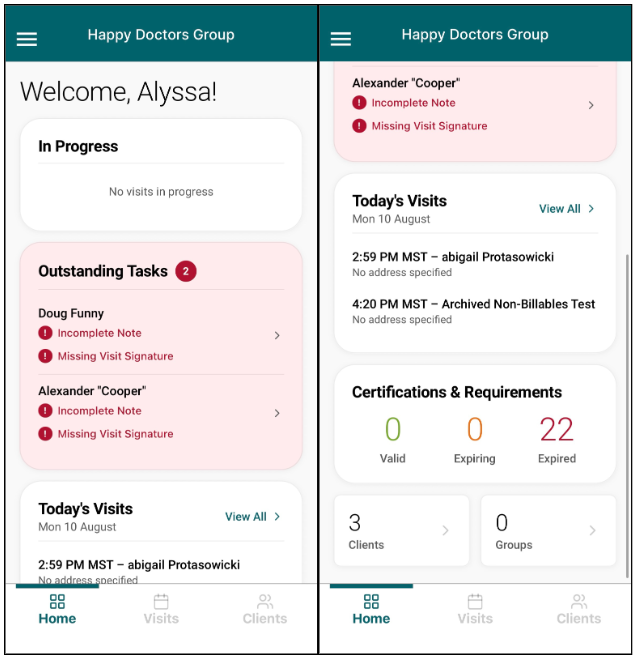
The Home tab offers quick navigation and visibility into immediate tasks with multiple interactive sections, including credential expirations, in progress visits, upcoming visits, and visits requiring additional work.
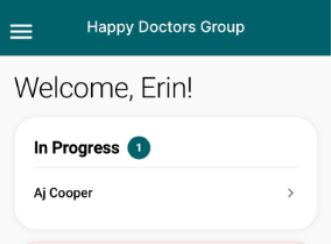
- In Progress: Lists any visits that are currently in-progress with an active timer running. Tap a visit to navigate to the Visit screen.
- Outstanding Tasks: Tracks completed visits that still require additional work, such as needing to resolve Incomplete Notes or Missing Visit Signatures.
- Today’s Visits: Lists each upcoming appointment time, client, and address. Tap a visit to navigate to the Visits tab.
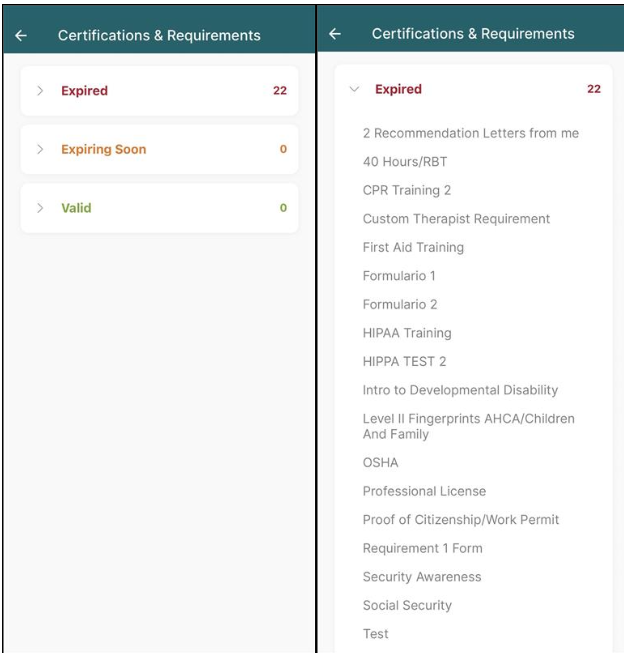
- Certification & Requirements: Contains a color-coded count of Valid, Expiring, and Expired certifications. Tap the modal to view a list of certifications and expiration dates.
- The bottom of the screen displays the number of clients and groups for the day. Tap either section to navigate to the Visits tab.
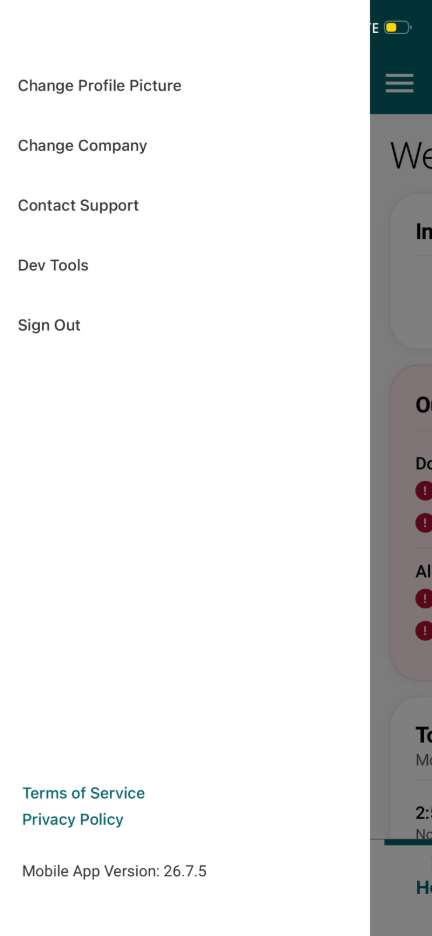
Additionally, a sidebar menu can be accessed throughout the mobile application by tapping the menu icon. Users can update their profile picture, switch between their organizations, get support contact information, and sign out.