Visits and Non-Billable Events in CR Essentials Mobile
In CR Essentials Mobile, users can view, schedule, configure, and complete visits within the Visits tab.
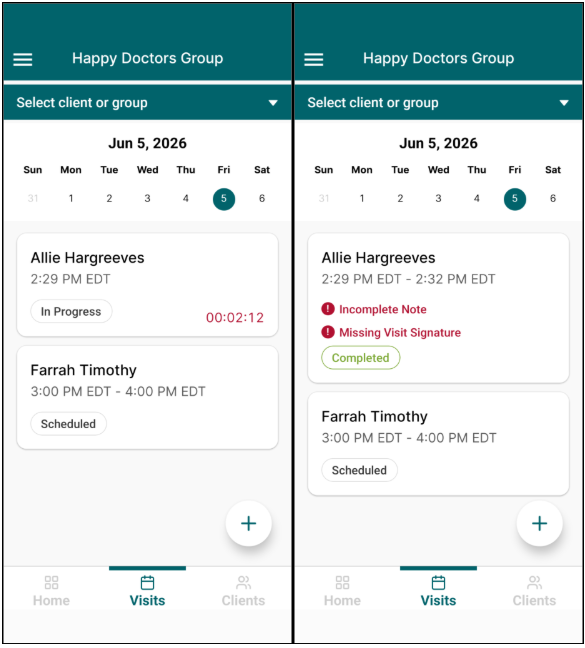
The Visits tab displays the therapist’s calendar of visits, including scheduled, in progress, completed, and cancelled visits within the day. Each visit includes its status and alerts for any missing components, such as an incomplete note or missing signature. If a visit is in progress, a running timer will display.
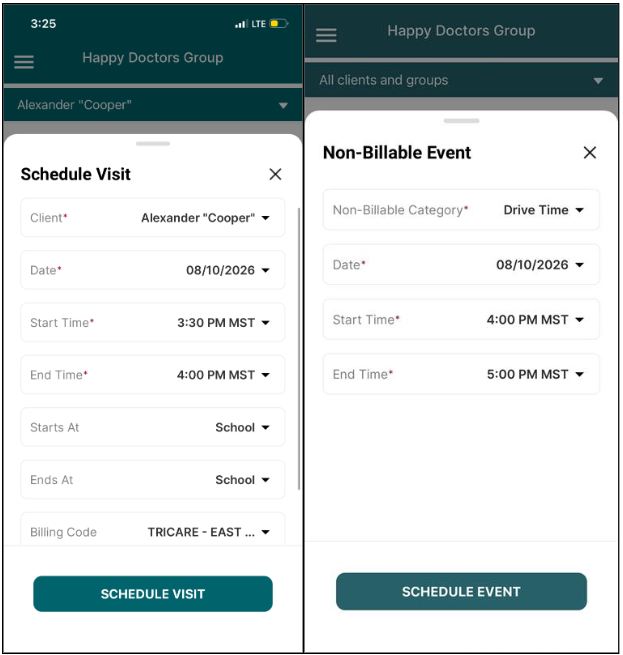
- To schedule and configure new visits and non-billable events, tap the + icon.
- To switch calendar view to previous or future days by week, swipe left for previous weeks or right for future weeks.
- To filter the calendar based on the user’s available clients and groups, tap the “Select client or group” dropdown at the top of the screen.
- To load a visit and begin the visit workflow, tap the desired visit and press Start.
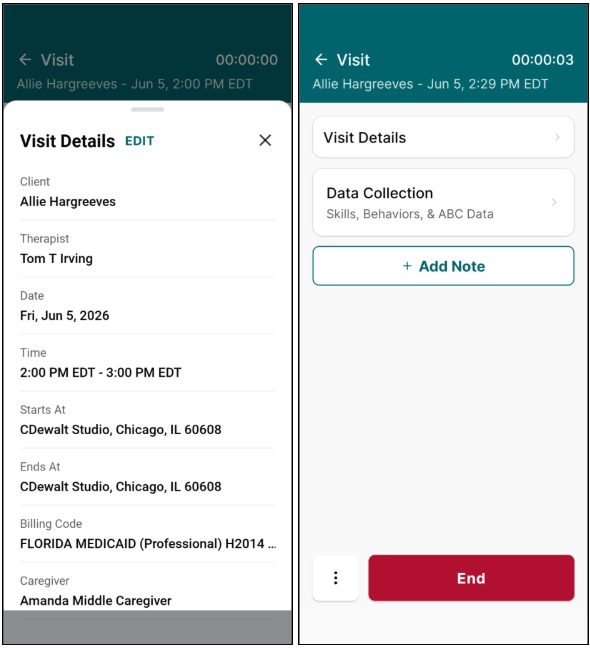
The visit workflow supports the user throughout the entirety of the visit, providing access to Visit Details, Data Collection, and Session Notes.
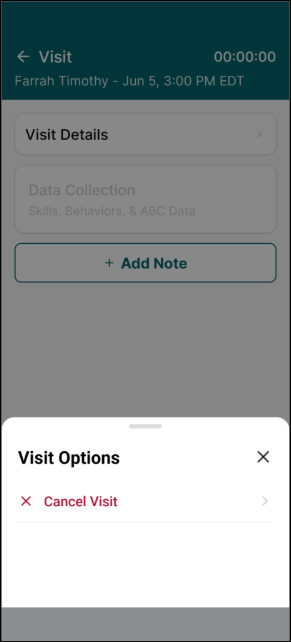
To cancel a visit, select the ellipses at the bottom left corner of the Visit screen. Once a visit has begun, the visit can no longer be cancelled.
Visit Details allows users to quickly update information about the visit, including:
- Client or Group
- Therapist
- Caregiver(s)
- Date
- Start/End Time
- Start/End Place of Service
- Billing Code(s)
When users click Start to begin a visit, the visit timer displays and Data Collection becomes accessible.