
26.8: Mileage Tracking, Visit Linking Modal, and Other Improvements
Release Recap
The CR Essentials 26.8 release contains a new mileage tracking capability in the web visit workflow, a new visit linking modal that better informs users of related existing visits, and additional improvements that support platform performance, security, and visual consistency.
Visit Mileage Tracking
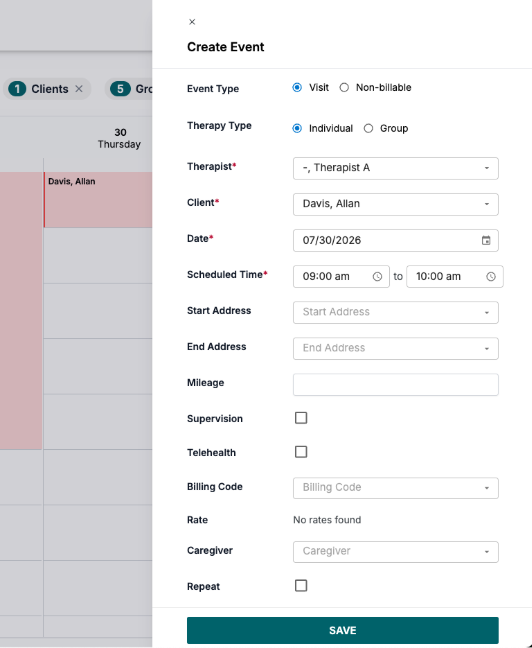
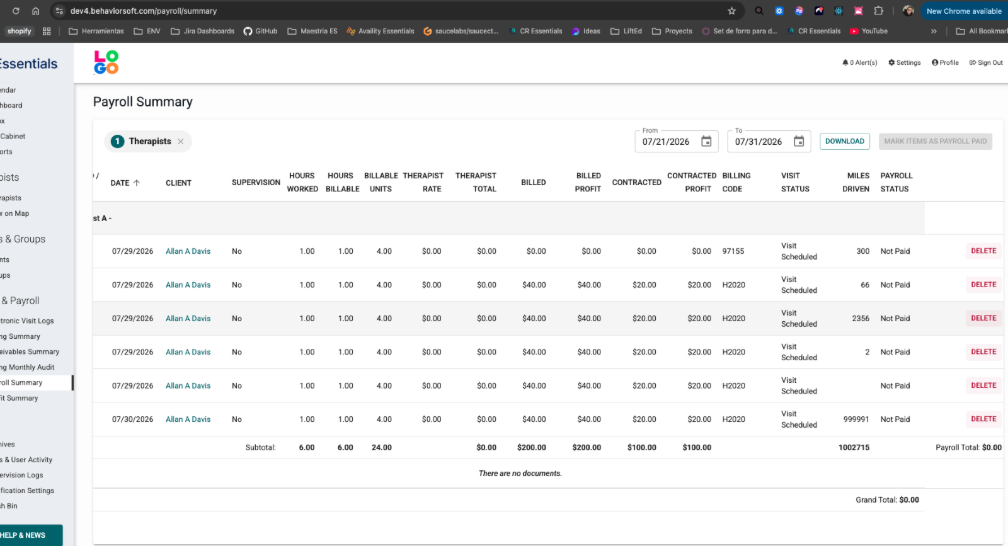
Mileage can now be directly captured as "Miles Driven" in Visit Details during the web visit workflow, supporting accurate and efficient reimbursement. Mileage for each visit will display as a column in the Payroll Summary and CSV exports.
Visit Linking Modal
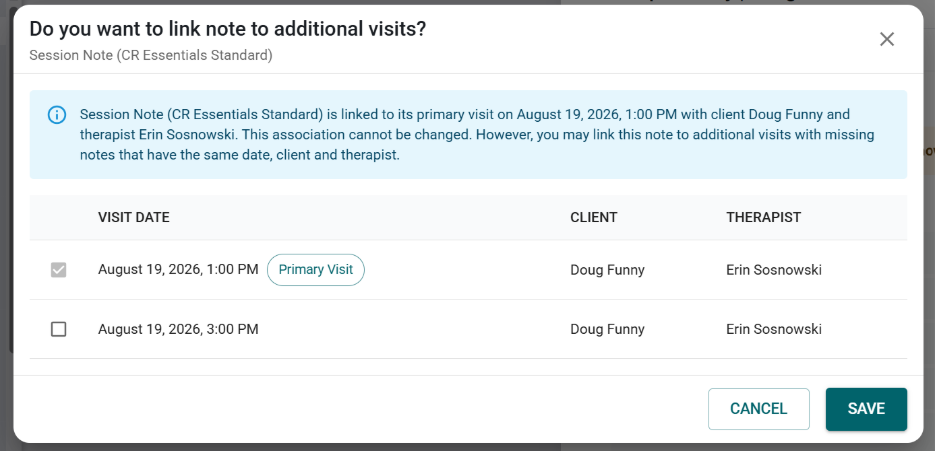
Existing additional visits can now be linked during or before creating a note. When attempting to create a note, a new popup modal informs users of visits with matching dates, clients, and therapists. Additionally, the “Notes from Other Visits” section now displays at the top of the Notes page to encourage visit linking.
Other Improvements
- Minor platform performance, security, and visual improvements have been implemented.
- The Client page’s sorting and filtering options have been updated.
- The Comments column can no longer be sorted.
- The Authorizations column is now sorted from smallest to largest in the following order:
- Expired
- Days until expired
- Canceled
- Pending
- The filter popup now includes the following options as dropdowns:
- Authorization
- Doc. Status
- Director
- Payer
- The Client’s page Authorization filter now correctly reflects authorization expiration dates as expected.
- The scheduling system now correctly prevents duplicate visits from being scheduled when client, therapist, date, and time range information match.
- The issue causing HTML text to display when editing the description of cloned CR Elements Library program steps has been resolved.
- The Companies Report email has been improved to ensure it arrives. Additionally, a confirmation message will display when the report request is received successfully, informing users they will receive an email once the report is generated.