26.5: Visit Data Syncing
Release Recap
The Essentials 26.5 release improves note and visit connections by ensuring notes are exclusively associated with its corresponding visit, as well as allowing users to add or remove additional visits from notes. These improvements reduce data inaccuracy, user confusion, and extra documentation effort.
Visit Data Syncing
- Notes are now linked exclusively to the visit in which they were created.
- When a note is created within a visit, that visit will always be connected to that note and serve as the primary source of data for the note.
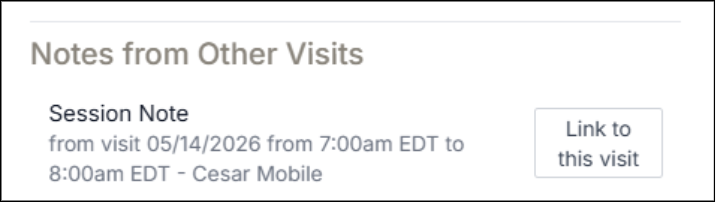
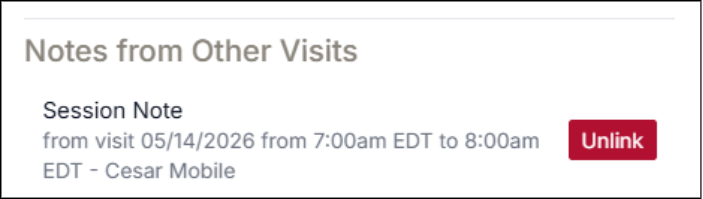
- Additional visits with the same date, client, and therapist can be linked to existing notes by navigating to the Notes tab and selecting an existing note from the new “Notes from other visits” section.
- This new section only displays when the current visit does not have a note, and another visit for the same date, client, and therapist already has a note created.
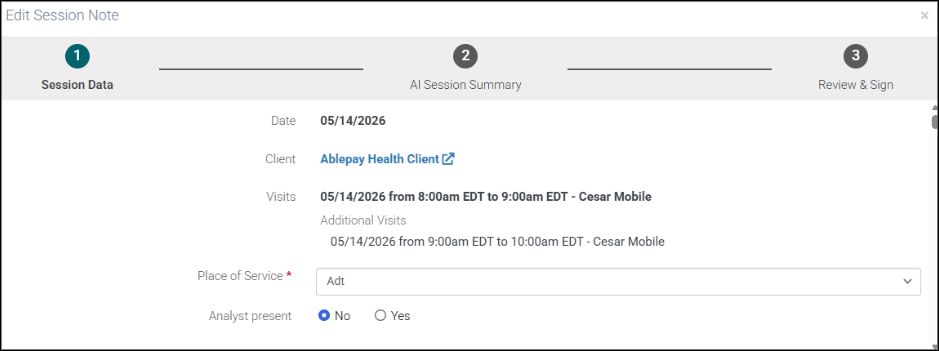
- When an additional visit is added, an “Additional Visits” list will display in the Note. Data collection from additional visits will populate in the note, alongside an indicator of the additional visit’s date and time.