
25.12 Release Notes: Skills & Behavior Tab, Redesigned Payor Summary Page, and Billing Codes Enhancements
Release Recap
The 25.12 release introduces a new Skills & Behaviors tab, a redesigned Payroll Summary experience, and updates to the Archives page, including a new billing codes option.
The following new features and functionality have been released in CR Essentials:
New Skills & Behaviors Tab
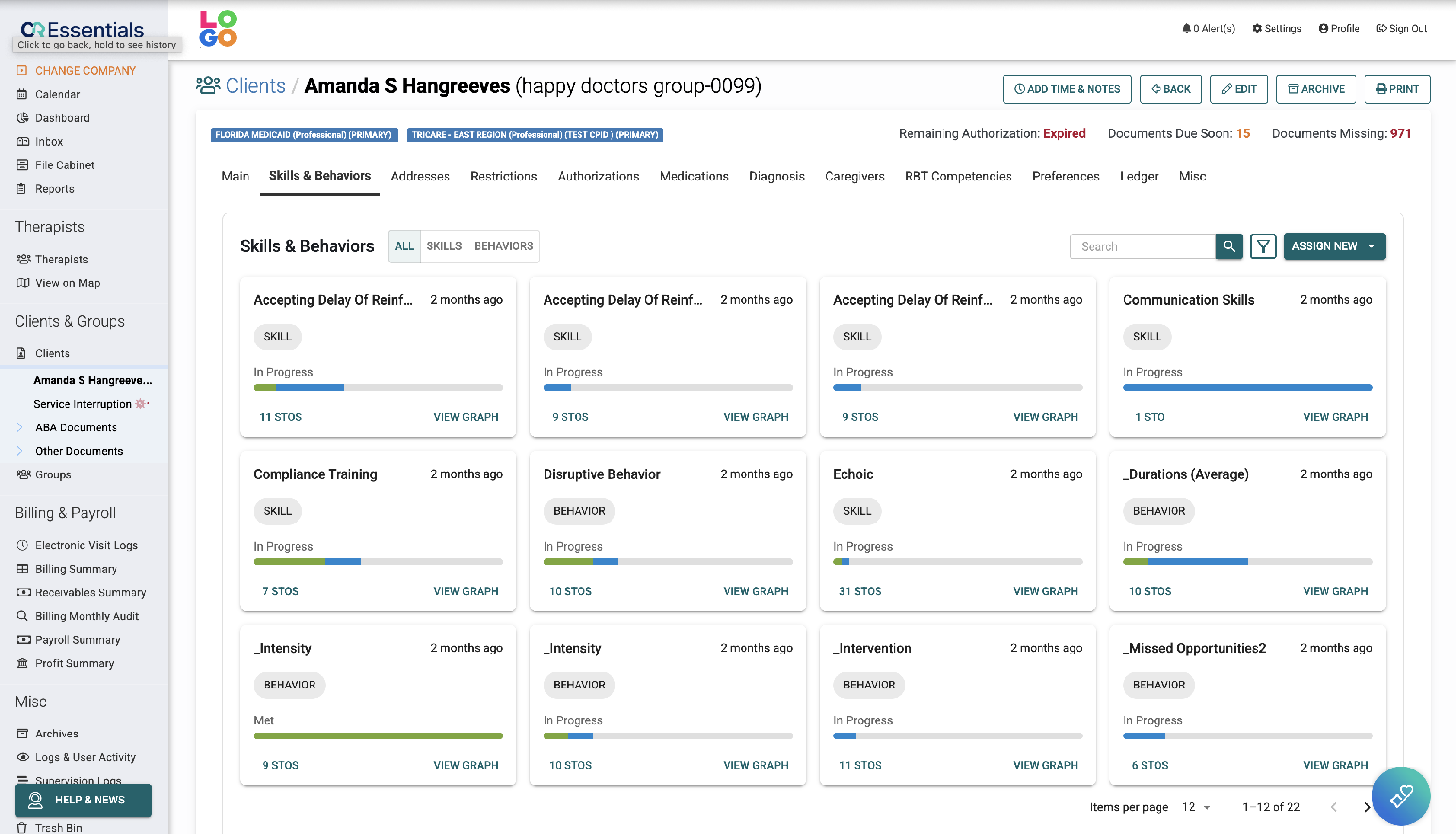
A new combined Skills & Behaviors tab has been added to client profiles, allowing users to view skills and behaviors together or individually.
Key enhancements include:
-
Card-Based View Skills and behaviors now appear as individual cards.
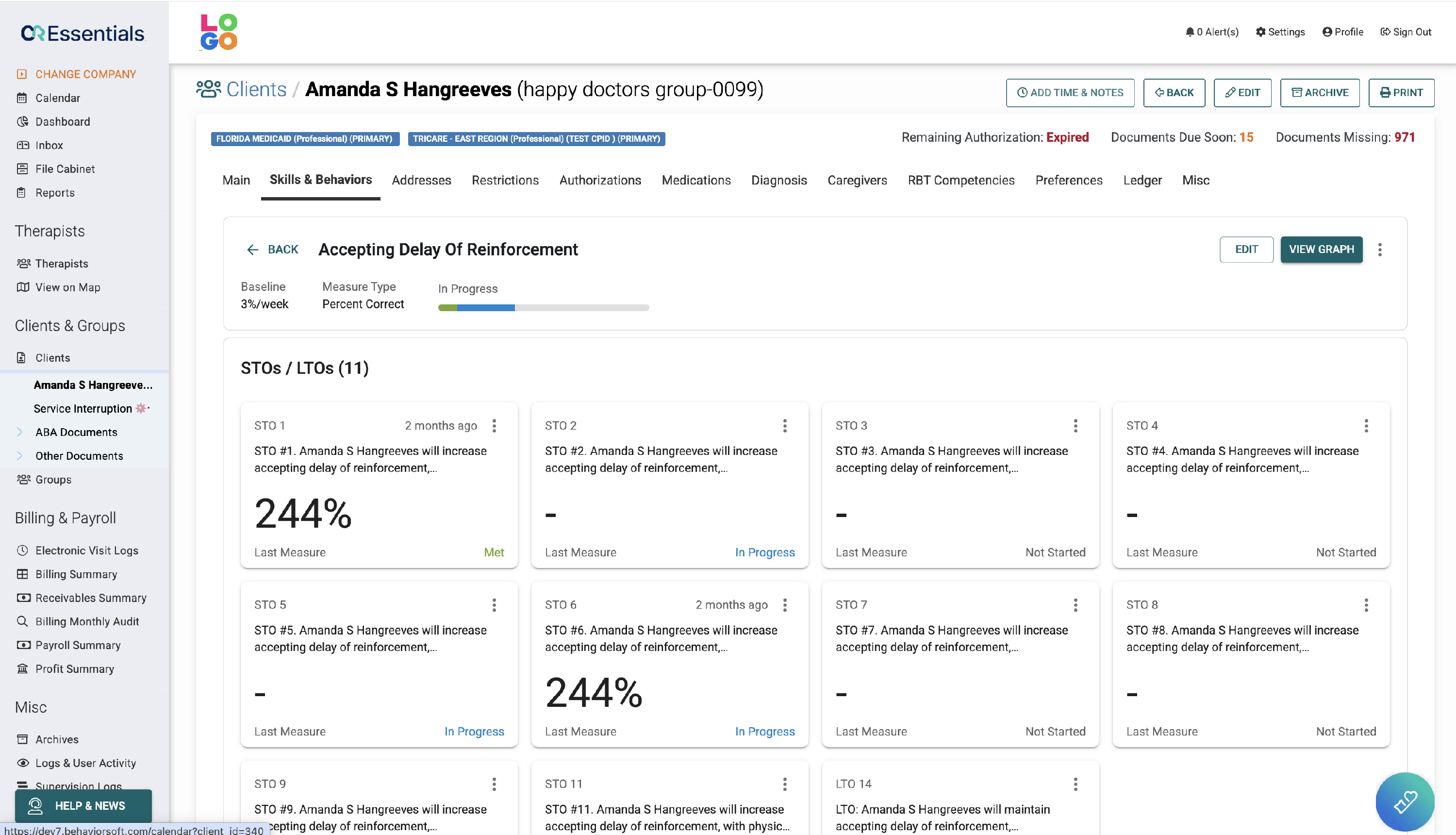
Selecting a card opens a detailed view.
- Active skills display a progress bar, next step, and current target.
-
Active behaviors display STOs, measure type, baseline, and progress bar.
A progress graph is also available within the detailed view.
-
Archived Items
Archived skills and behaviors are view-only. Users may restore or permanently delete items. Deleted items cannot be recovered.
-
Improved Navigation
The search bar and filter options help users quickly locate specific skills or behaviors.
Billing & Payroll Enhancements
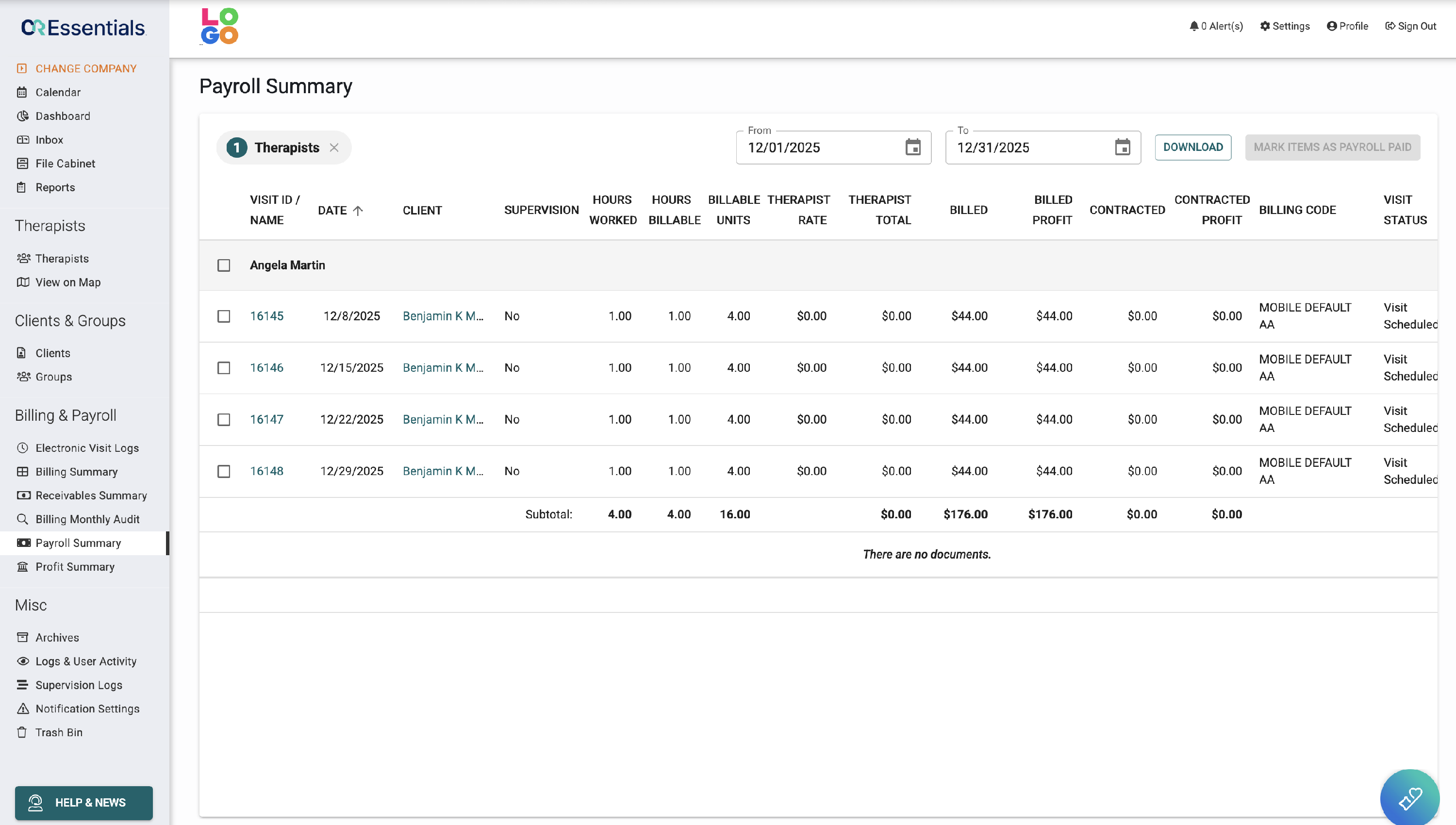
The Payroll Summary page has been redesigned to improve clarity and performance.
Enhancements include:
- A combined table that merges payroll and document data
- A date filter on the therapist view
- Checkmarks to indicate documented paid visits
Billing Codes Updates
- Billing Codes Added to Archives
A new “billing codes” option has been added to the Archives page/table.
Users can now view archived billing codes within this dedicated section of the Archives page.