Clients in CR Essentials Mobile
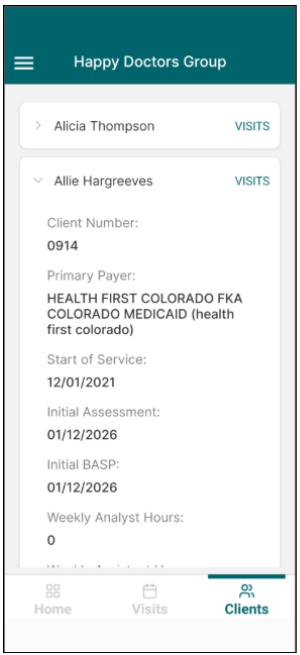
CR Essentials Mobile includes a Clients tab that includes a list of all active clients associated with the user and organization the user is viewing form.
Users can click on a client for an overview of the client’s essential information, including client number, payor and service details, number of documents due or missing, and guardian information.
To directly navigate to the client’s schedule, users can click on “Visits” next to the client’s name.